

How AI is Changing POS Terminal Hardware

AI is changing POS terminal hardware faster than any shift in the last decade. IDC expects 90% of retail tools to embed AI by 2026, with 45% of major retailers running Edge AI in-store by 2027. The practical question that raises: what does it mean for the box sitting on a counter?
The shift comes down to three new hardware ingredients:
-
An NPU (neural processing unit, a dedicated AI chip)
-
Enough RAM to hold a model in memory (8 to 32 GB depending on workload)
-
NVMe storage fast enough to load a 6 to 14 GB model file in seconds rather than minutes
The rest of this article covers the workloads driving demand, the spec thresholds that matter, the supply chain reality, edge versus cloud decisions, Windows versus Android, and a buyer checklist you can apply to any vendor quote.
The AI Workloads Now Running on POS Terminals

AI workloads split into two camps. Some run in the cloud, where your terminal is just a data source. Others run on the device itself, where the specs at the lane decide whether the feature works. That split sets every buying decision that follows.
Cloud-only AI capabilities cover demand forecasting, customer segmentation, predictive analytics, and post-transaction analytics. Existing hardware handles all of it fine. Pressure on POS specifications comes from a different list, and four of those workloads are already shipping:
-
Computer vision checkout and product recognition. Elo POS terminals paired with the Hailo-8 AI accelerator run 45 frames per second on-device and recognize more than 250,000 SKUs without ever touching the cloud.
-
Loss prevention and shrink detection. Diebold Nixdorf shipped Smart Vision in January 2024 on its latest-generation POS hardware, scoring customer behavior at the lane in real time.
-
Cashierless and assisted checkout. HP added the Hailo-10H AI Accelerator M.2 card to its Engage terminals in August 2025, giving operators on-device cashierless checkout and live inventory optimization.
-
Real-time fraud scoring. Small language models such as Phi-3-mini, which sits under 2 GB in memory, run locally and flag transaction anomalies in transaction data without a cloud round-trip.
Edge AI matters for one more reason: bandwidth economics. A single retail camera streaming AI video to the cloud generates roughly 5 MB per second of upload. Multiply that across four cameras per store and 50 stores and the math stops working. On-device inference makes multi-camera retail AI financially viable in a way cloud streaming is not.
What unites these four workloads is the underlying hardware they need: NPU, RAM, and fast storage.
AI POS System Requirements: CPU, NPU, RAM, and Storage
Most vendor spec sheets still describe POS terminals as if AI did not exist. Here is what actually matters, component by component.
CPU and NPU
Intel Core Ultra delivers between 11 and 48 TOPS (tera operations per second) from its dedicated NPU tile. That capability only exists from Core Ultra Series 1 (Meteor Lake) onward. Older Core i5 chips from the 10th through 13th generations have zero NPU and run any AI inference on the CPU alone.
CPU-only inference is roughly 3 to 5 times less efficient than NPU inference on the same workload. Qualcomm Snapdragon X2 hits 85 plus TOPS and leads on performance per watt for vision workloads.
If you are not buying new, a Hailo-8 M.2 module delivers 26 TOPS at under 2.5 watts for around $200 and fits any POS with a spare M.2 slot. That single upgrade turns a terminal with no AI silicon into a capable vision endpoint.
RAM
8 GB is the floor for basic fraud detection and sub-2 GB language models like Phi-3-mini. Step up to 16 GB for 7 billion parameter models such as LLaMA-3.1-8B, which needs around 16 GB for full-precision weights or 5 to 6 GB at 4-bit quantization. 32 GB is the practical minimum for 13 billion parameter models.
Storage
Spinning disks are a non-starter for on-device AI. A 7B model loads from an NVMe SSD in seconds; the same file takes minutes from an HDD, and no checkout queue will wait through that.
NVMe is ideal. 256 GB is the floor, 512 GB is recommended, because a Gemma-3-4B model alone consumes 6 to 14 GB of flash and you will want room for more than one.
To put the three component sections together:
Quick reference
|
Use Case |
NPU |
RAM |
Storage |
|
Entry vision POS |
NPU or free M.2 slot |
8 GB |
256 GB NVMe |
|
Pro vision POS |
26 TOPS or higher |
16 GB |
512 GB NVMe |
|
Language model and multi-camera POS |
40 plus TOPS |
32 GB |
512 GB NVMe |
Why POS Hardware Prices Are Rising and When That Eases
POS hardware costs are up 40 to 60% and the squeeze has a name: HBM. DDR4 and DDR5 DRAM prices rose between 172% and 300% across 2025 as AI data centers consumed high-bandwidth memory at a rate that drained conventional DRAM supply across every adjacent market.
Samsung is now filling roughly 70% of DRAM order backlogs. Smaller OEMs are receiving 35 to 40% of what they ordered, which is why lead times have stretched from weeks to quarters.
The same pressure is hitting general computing:
-
Dell, Lenovo and HP signaled 15 to 20% PC price rises in early 2026
-
Consumer CPU pricing climbed 5 to 10% since March 2026
-
Server CPU climbed 10 to 20% over the same window
-
NAND flash prices moved up 8 to 12% on the same demand curve
Now look at the upgrade cycle. A typical POS terminal lasts 5 to 7 years, with payment terminals on a tighter 3 to 5 year PCI compliance clock. A 2019 or 2020 Core i5 10th generation terminal is already past five years and has no NPU. The upgrade decision and peak component pricing have collided in the same quarter for a lot of buyers.
Relief is at least 18 months out. New DRAM fab capacity from Samsung, SK Hynix and Micron is scheduled to come online in 2027 and 2028, with HBM4 ramp absorbing much of the early output. Until then, prices stay tight and lead times stay long.
The practical implication: if you can specify an AI-ready terminal now, from a vendor that has held pricing through the squeeze, you lock in capability before the cycle peaks further. Waiting six months saves nothing and may cost another 10 to 15%.
Edge AI vs Cloud AI: Which Workloads Need New Hardware

Not every AI feature needs new hardware. Treat this as a decision matrix before you sign a purchase order.
Cloud-suitable workloads, where your current POS is fine:
-
Demand forecasting and predictive analytics
-
Customer lifetime value modeling
-
Dynamic pricing strategies
-
Inventory optimization driven by historical sales data
-
Post-transaction analytics
None of these need an NPU at the lane. They run on a server somewhere and your terminal just sends data.
Edge-required workloads, where you need on-device compute:
-
Computer vision at the lane
-
Scan-and-go product recognition
-
Shrink and shoplifting detection
-
Voice ordering
-
Offline operation when connectivity drops
Every one of these depends on having the NPU, RAM, and NVMe on the terminal itself.
The economics force the split. A four-camera store streaming AI video to the cloud generates around 20 MB per second of upload, every second the store is open. Multi-camera on-device inference is not just faster, it is the only way the cost model holds.
Latency seals the case. Cloud fraud scoring takes around 800 ms per round-trip, while on-device scoring runs in roughly 80 ms. That tenfold gap is the difference between a smooth checkout and a queue building behind one slow lane.
The pattern that works is hybrid. Real-time data and decisions run at the edge. Aggregated analytics run in the cloud overnight. Audit which AI features you genuinely plan to deploy in the next 18 months. If they are all analytics-heavy and cloud-suitable, current hardware can probably last another cycle. If even one is vision-based or real-time, plan for new silicon.
Windows POS vs Android POS for AI Workloads

The Windows versus Android decision used to be about software stack. AI has turned it into a hardware and budget question.
Windows POS terminals start around $500 plus. Android and mobile POS systems sit in the $500 to $900 range, and AI hardware demand is widening that gap rather than closing it. RAM requirements split sharply too. Windows AI workloads typically need 8 to 16 GB. Android runs comparable vision AI on 2 to 4 GB because the OS overhead is lower and the model toolchains are tighter.
Silicon splits sharply across the Android tier. Rockchip RK3566, common in entry and mid-range Android POS, sits below 1 TOPS and is suitable for transaction processing, payment processing, and queue analytics, not on-device vision. The newer Rockchip RK3588 delivers 6 TOPS and handles basic product recognition and people counting. At the top end, Qualcomm Snapdragon X2 hits 85 plus TOPS with better performance per watt than any x86 chip for vision workloads. If the use case is vision-led, check the chip generation on the spec sheet, not just the operating system.
Pick Windows when you need:
-
Deep ERP integration with other business systems
-
Legacy peripheral drivers for specialist printers, scales or barcode readers
-
Complex multi-monitor lanes
-
The full Win32 POS software stack
Pick Android when:
-
The use case is lighter
-
The format is mobile or portable
-
The fleet is large enough that unit cost compounds
-
The workload is vision-led on modest hardware
Match the platform to the workload and the budget, not the brand name. The right answer for a six-lane café and a 40-lane DIY warehouse will look almost nothing alike.
POS Hardware Buyer Checklist: Future-Proofing Without Overspending
Run any vendor quote through these six points before you sign:
-
NPU present, or a free M.2 B+M key slot for a Hailo-8 retrofit at 26 TOPS for around $200
-
8 GB RAM minimum, 16 GB for vision workloads, upgradeable rather than soldered
-
NVMe SSD, 256 GB floor, 512 GB preferred for any on-device language model work
-
CPU generation: Intel Core Ultra (Series 1 / Meteor Lake or newer), or ARM with on-die NPU. Older Core i5 is workable if there is a clean M.2 upgrade path
-
Operating system matched to the use case, not to habit
-
Vendor pricing stability through the current component squeeze, with stock available rather than quoted on long lead times
Closing Thoughts

Many vendors have passed the full 40 to 60% component cost increase straight to buyers. Volcora has held pricing on its standard and pro configurations through the 2025 to 2026 squeeze, which is unusual at this point in the cycle.
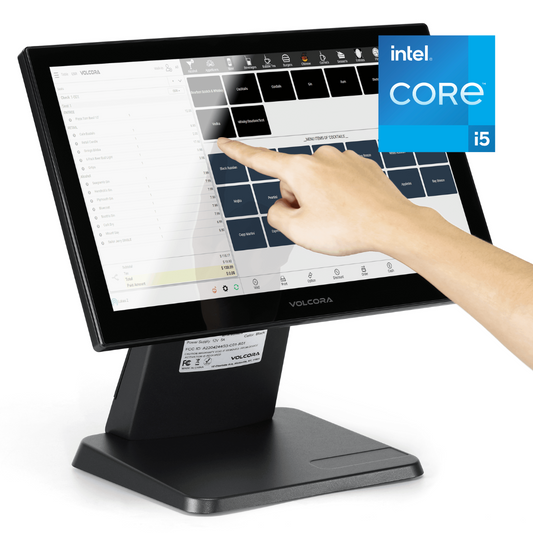
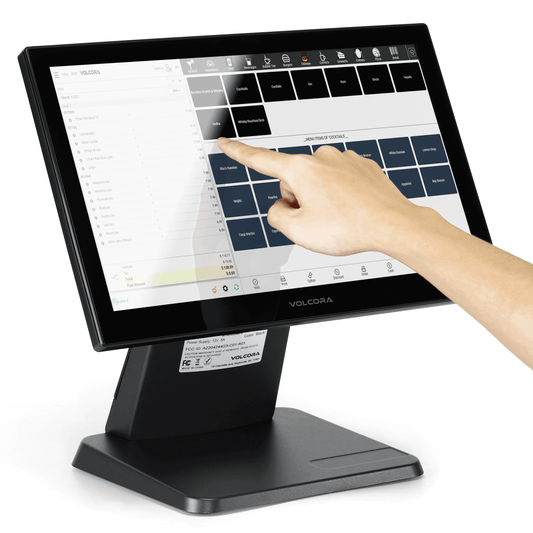
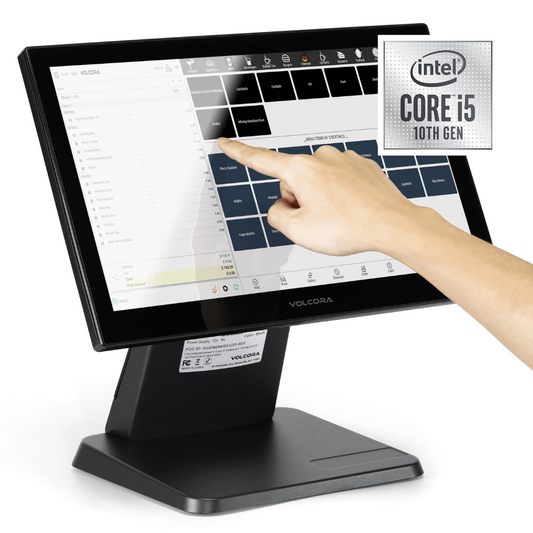
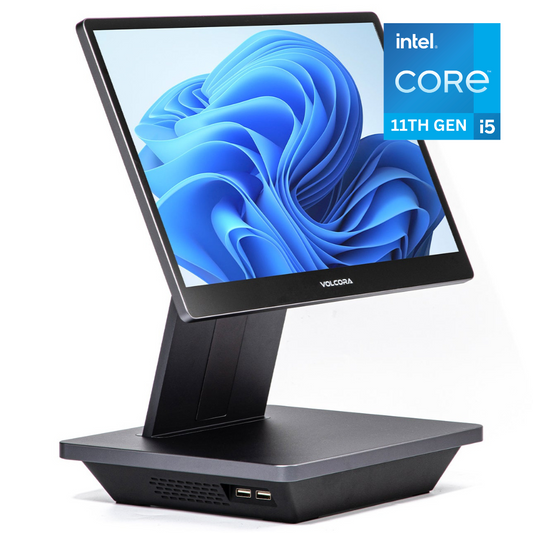
Volcora's pro configuration is not a max-spec Core Ultra build, and it is not pretending to be. It is a value entry point: a current-generation Core i5 on Windows 11, with a free M.2 slot left open for a Hailo-8 retrofit when vision workloads arrive. Buyers who don’t need an NPU on day one get a stable price now and a clean upgrade path later, without paying 2026 component rates upfront. For operators running cloud-suitable AI today and weighing edge workloads for the next cycle, that is a defensible position.
Review the current line-up at volcora.com/collections. Use the checklist on whatever you compare it against.
Frequently Asked Questions
Does my existing POS terminal need an upgrade for AI?
Only if you plan to run on-device AI such as computer vision, shrink detection, or local fraud scoring. Cloud-based AI in modern POS systems, like demand forecasting, works fine on existing hardware. Audit planned use cases before spending.
Is Android POS good enough for AI workloads?
For vision-led tasks on modest hardware, yes. Rockchip RK3588 delivers 6 TOPS, enough for product recognition and queue analytics on 2 to 4 GB RAM. Choose Windows for deep ERP integration and legacy peripherals.
Why have POS terminal prices risen so much?
AI data centers consumed high-bandwidth memory, pushing DDR4 and DDR5 prices up 172 to 300% across 2025. Volcora's investment in supply chain control and logistics optimisation meant price increases stayed well below the industry average. While competitors passed 40 to 60% cost hikes to customers, Volcora kept hardware pricing as stable as possible throughout 2025.
Should I buy now or wait for prices to drop?
If your upgrade cycle is due, buy now. New DRAM fabrication capacity does not come online until 2027 to 2028, and prices are more likely to rise further before they ease. Vendors still holding pricing today are the better entry point. Volcora's POS Terminal Pro, Standard Base i5, and Standard Plus 18.5'' are all currently available at stable pricing.