

What Is a Thermal Printer: A Plain-English Guide for POS Buyers

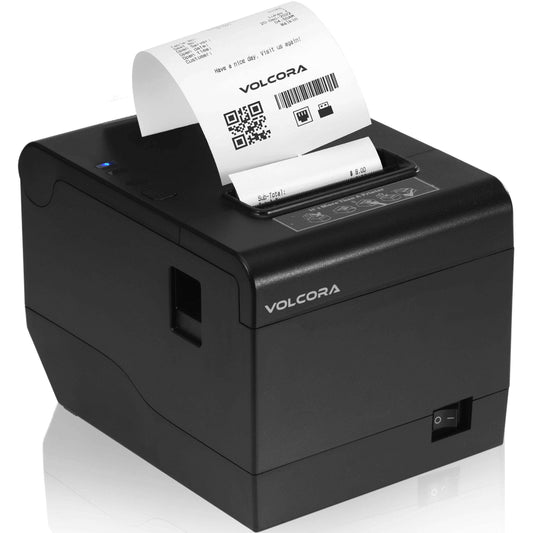
What is a thermal printer? It's a device that creates an image using heat instead of ink. A printhead lined with tiny heating elements presses against the paper or label, and heat either darkens a coated media directly or melts a coated ribbon onto it. There are no cartridges, no toner and no wet ink. That's why almost every receipt handed across a counter in the US comes out of a thermal printer.
If you’ve ever changed a receipt roll, you’ve used one. But "thermal printer" covers a wide range of hardware, from a $78 unit on a coffee shop counter to an industrial labeler running a warehouse. The two things worth understanding before you buy are how the printing actually happens and which of the two thermal technologies you need.
How a Thermal Printer Works

A thermal printer is three parts working together. The thermal head carries a line of closely spaced heating elements. The platen, a rubber roller, pulls the media past that head at a steady rate. A spring holds the two together at consistent pressure so every dot lands with the same force. A controller board drives the heating pattern, and sensors track where the paper or label sits so the print stays aligned.
The Chemistry Behind the Print
The image itself comes from chemistry, not ink. Direct thermal media is coated with a thermochromic layer, a solid mixture of a dye and a matrix compound. When a heating element fires, that patch of coating changes color and the change fixes as it cools. No ink is deposited. The heat sensitive paper already contains everything needed to make the mark.
Resolution and Print Quality
Resolution is measured in dots per inch. Thermal printheads reach up to 1,200 dpi at the high end, but most point-of-sale receipt printers run at 203 dpi, which is enough for clean text and barcodes that scan the first time. Watch for spec sheets that quote dots per millimeter instead: 8 dots/mm equals 203 dpi, since there are 25.4 millimeters to an inch.
Thermal printing is mostly monochrome. Two-color designs do exist, printing black plus a second color, usually red, by applying heat at two different temperatures against a media coated to respond at both.
Direct Thermal Vs Thermal Transfer
This is the decision that matters. Both use a heated printhead. What differs is what the heat acts on.
Direct Thermal
Applies heat straight to heat-sensitive media. No ribbon, no ink, no toner. The media blackens as it passes under the head. Fewer consumables, fewer parts, less to go wrong. The trade-off is durability: direct thermal media reacts to heat, light and abrasion, which is exactly what you would expect from something designed to react to heat. Images can fade.
Thermal Transfer
Puts a wax or resin coated ribbon between the head and the media. The heat melts that coating and transfers it onto the surface. Because the mark is a deposited material rather than a chemical reaction in the paper, it lasts far longer and survives conditions that would wipe out a direct thermal label. It also accepts a wider range of media, including polyester and polypropylene, not just paper.
|
Direct Thermal |
Thermal Transfer |
|
|
Ribbon needed |
No |
Yes, wax or resin |
|
Consumables |
Media only |
Media plus ribbon |
|
Durability |
Fades with heat, light and abrasion |
Long-lasting, resists harsh conditions |
|
Media types |
Coated paper |
Paper, polyester, polypropylene |
|
Typical use |
Receipts, shipping labels, tickets |
Asset tags, product labels, compliance labelling |
|
Running cost |
Lower |
Higher, ribbon is a recurring spend |
The short version: if the print only needs to last days or weeks, direct thermal is the simpler, lower-cost choice. If it needs to survive months or years, sit outdoors, or resist heat and chemicals, choose thermal transfer. A receipt is read once and filed. An asset tag on a machine has to still scan in five years.
Thermal Printers at the Checkout

Retail is where direct thermal printing makes the most sense, and it’s worth being clear about why, because the reasoning is practical rather than technical.
A receipt has a short useful life. It gets checked, folded, and either thrown away or kept for a returns window. It doesn’t need to survive a warehouse or a winter. So the durability advantage of thermal transfer buys you nothing at a checkout, while its ribbon cost is a real recurring expense across thousands of transactions.
The bigger operational argument is consumables. An inkjet printer at a counter means cartridges: a stock item to reorder, a thing that dries out during a quiet week, and a failure that happens at the worst moment. Direct thermal receipt printers take a paper roll and nothing else, which means minimal maintenance and no replacement parts to keep on hand. When the roll runs out, someone drops in a new one and the queue keeps moving.
Speed matters more than people expect. A receipt printer rated at 350 mm/s finishes a standard receipt in roughly a second. At 160 mm/s the same receipt takes noticeably longer, which is fine at a boutique counter and irritating at a grocery checkout with six people waiting. Match the speed to your queue, not to your budget.
If you’re working out what else belongs on the counter, our guide to what a POS system is covers how the printer, terminal, scanner, and drawer fit together.
What to Check Before You Buy
Seven things separate a printer that works on your counter from one that nearly does.
1. Paper width: 80mm is the standard for retail and hospitality receipts and what most POS software expects by default. 58mm is narrower, cheaper per roll, and common in mobile and compact setups. Pick one and standardize across sites, or roll ordering becomes a recurring problem.
2. Print speed: Quoted in mm/s. From 160 mm/s upward is comfortable for a standard counter. Above 300 mm/s suits high-volume checkouts and drive-through windows.
3. Resolution: 203 dpi handles receipts and receipt-level barcodes without issue. Higher resolution matters for small labels and dense barcodes, not for text on a receipt.
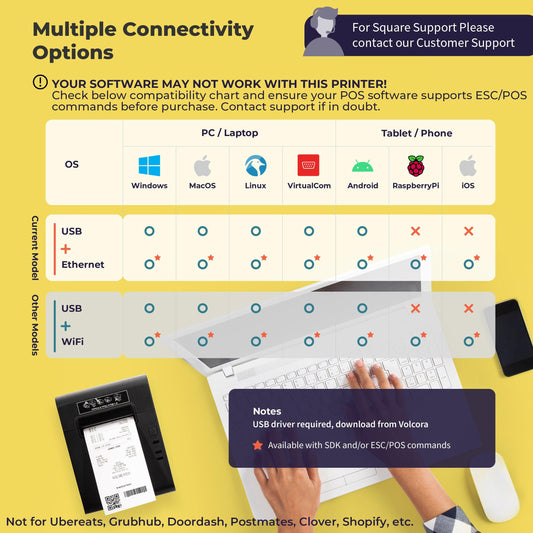
4. Connection: USB is the default for a printer sitting next to a POS terminal. Ethernet lets multiple terminals share one printer. Wi-Fi suits counters where running a cable is not practical. Serial (RS-232) still appears on older POS installations, so check what your existing system expects before replacing anything.

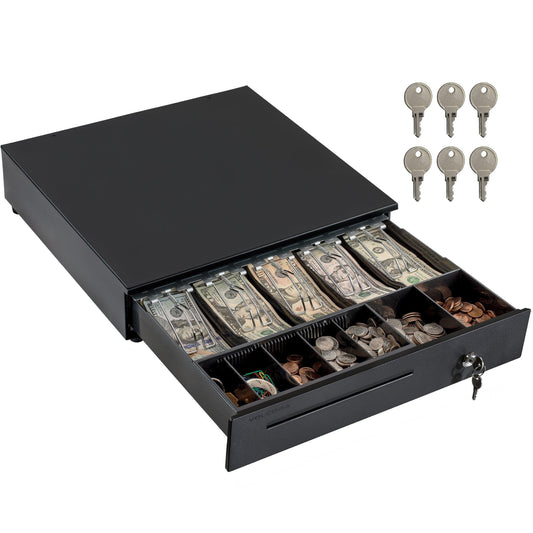
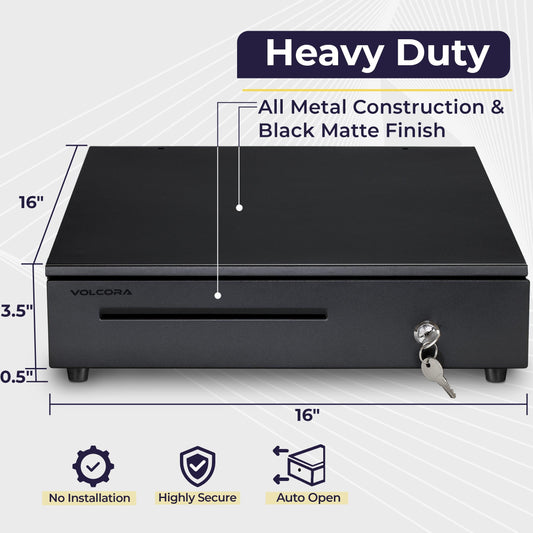
5. The cash drawer port: This is the one most often missed. In a standard POS setup the cash drawer does not connect to the terminal. It plugs into the back of the receipt printer through an RJ11 or RJ12 port, and the printer sends the pulse that opens it when a sale completes. Buy a receipt printer without that port and your drawer will not open automatically. Confirm the port exists and matches your drawer's connector before ordering. Our guide to choosing a cash drawer covers the drawer side of the same connection.
6. Auto-cutter: A powered cutter trims the receipt cleanly at the end of each sale. Tear bars work, but a cutter is faster and neater in front of a customer. For any counter running real volume it’s worth having.
7. Footprint: Counter space is finite. Check the physical dimensions and whether the unit mounts on a wall or stands vertically if the checkout area is tight.
Confirm your POS software supports the printer. Most POS applications and most printers speak ESC/POS, the standard command language for receipt printers. Still worth checking against your specific software before ordering, particularly if you run something niche or heavily customized.
Do Thermal Receipts Fade?

Yes, and it’s fair to plan for it. Direct thermal prints are a chemical reaction in a coating that stays sensitive to heat, light, and abrasion after printing. Leave a receipt on a dashboard in July and it will darken or wash out.
The commonly cited benchmark is that thermally printed text should remain legible for at least 50 days. Modern paper formulations do considerably better, and a receipt kept in a drawer or wallet will usually outlast that comfortably.
For a normal retail transaction that’s not a problem. Most returns windows are 30 days and the receipt has done its job long before the print degrades. It matters when a receipt is serving a longer purpose: proof of purchase on a warranty, an expense record, or an accounting document. In those cases the answer is not a different printer, it’s a digital copy. Emailed or text receipts solve the permanence question properly, and most POS software supports them. Where you genuinely need a physical mark that lasts years, that’s a thermal transfer job, not a receipt printer job.
The Volcora Thermal Printer Range
Volcora stocks a range of thermal printers for point-of-sale work with US-based support.
The V-WRP2 connects via USB and Ethernet, making it a solid starting point for a single counter or a setup where several terminals share one printer. If running a cable is not practical, the V-WLRP5 covers the same use case over Wi-Fi. Both print at 203 dpi, which handles receipts and standard barcodes without issue.
For busy checkouts where queue speed is the constraint, the Receipt Printer Pro prints at up to 350 mm/s and adds a customer-facing display. The 50020X Series is wall mountable with hanging hooks, which is useful when counter space has run out.
If you’re printing labels as well as receipts, the Linerless Receipt and Label Printer handles both from one compact unit and removes the backing waste that comes with standard label media.
Finding the Right Thermal Printer
Most point-of-sale counters run on direct thermal receipt printers because they're low maintenance, cost effective, and print quickly without requiring ink cartridges, toner, or other supplies. The decision comes down to connection type, print speed, and whether you need a dedicated label option alongside your receipt printer.
Browse the full Volcora receipt printer range to compare models by connection type and speed, or get in touch if you need help matching a printer to your counter setup.
Frequently Asked Questions
Do thermal printers use ink?
No. Thermal printers use heat rather than ink or toner. Direct thermal models heat a coated paper that darkens where the printhead touches it. Thermal transfer models heat a wax or resin ribbon and transfer that coating onto the media. Either way there are no ink cartridges to replace, which is the main reason thermal printers dominate receipt printing.
What is the difference between a thermal printer and a label printer?
A label printer is a type of thermal printer in most cases. "Thermal printer" describes the printing technology, while "label printer" describes what it produces. Most label printers use the same direct thermal or thermal transfer process as a receipt printer but handle die-cut label stock rather than a continuous paper roll and are built for adhesive media. Some printers handle both.
What paper do thermal printers use?
Direct thermal printers need thermal paper, which carries a heat-sensitive coating. Standard receipt paper is 80mm wide, with 58mm common in compact and mobile setups. Regular paper will not work in a direct thermal printer because the image comes from the coating, not from anything the printer deposits. Thermal transfer printers use plain or synthetic media plus a ribbon.
Is a thermal printer better than an inkjet for receipts?
For receipts, yes, in almost every case. Thermal printers are faster, quieter, have fewer moving parts, and need no ink cartridges. An inkjet at a checkout adds a consumable that can dry out, run low mid-shift, and cost more per print. The one advantage inkjet holds is color, which receipts do not need.
Will a thermal receipt printer work with my POS software?
Usually. Most receipt printers and most POS applications support ESC/POS, the standard command language for point-of-sale printing, which makes them broadly interchangeable. Check your software's supported hardware list before ordering, particularly if you run a customized or less common system, and confirm the connection type your setup expects.